
When to show a QR code in your YouTube video
Subscribing on a TV may require signing in to YouTube, which some viewers prefer not to do on a shared television. A QR code gives them another way: they scan it and carry on from their own phone.
When you show that code matters. These are practical suggestions from building SofaSub, not research findings, and they work with any QR code. Every channel is different, so treat them as a starting point.
Why timing matters
A code left on screen for the whole video can work. But depending on where it sits, viewers may stop noticing it, or it may distract from what you're showing. A code that appears when you mention it gives viewers a reason to reach for their phone at that moment.
5 decisions, not 5 codes
You don't need to show a code at all five of these moments. Think of them as five decisions about when a code helps and when it gets in the way. For most videos, the payoff and the end screen are the natural places to ask.
1. The opening: usually leave it clear
The first few seconds are for your hook: the question, the cold open, the first clip of the game. Viewers are still deciding whether to keep watching, so a request to subscribe is rarely what they need yet.
2. The first minute: small and quiet, if at all
Some viewers already know they like you. A small code in a corner for a few seconds can suit them. Keep it away from faces, captions and anything viewers need to see: in gaming, that means the minimap, health bars and chat. If the opening is busy, skip it.
3. The big moment: get out of the way
Whatever the video builds to, whether it's the reveal, the result, the clutch play or the punchline, give it the whole screen. Few people reach for their phone in the middle of it.
4. The payoff: ask once, clearly
Right after you've delivered what the video promised is a natural moment to ask. Show the code and say it out loud, for example: "If you're watching on a TV, scan the code to open my channel on your phone." Saying it helps, because someone across the room may not read small text.
Podcasts and collaborations have a second natural moment: when you introduce a guest. That's when viewers are most curious about them, so it's a good time for a code that includes their channel. It's courteous to let the guest know you're featuring them.
5. The end screen: say it again
The end of a video is the other natural place to ask. A short line such as "Watching on TV? Scan this." next to the code is enough. There's no proven ideal length of time. Something like 10 to 15 seconds is a reasonable starting point: enough for someone to find their phone, unlock it and open the camera. Give it longer if your viewers need it.
In a long podcast or live stream, you might show it at a couple of natural breaks rather than once. For streams, the guide to QR codes for YouTube live streams covers showing and hiding a code while you're live.
Make it easy to scan from the sofa
- Big enough. A code that's easy to read on your editing screen can be much harder from across a room. If your tool offers sizes, choose a bigger one for viewers who sit far from the screen.
- Keep its border. Phones need the plain space around a QR code to find it, so don't crop it off in your editor.
- Dark on light. A dark code on a light background is the easiest to read. Put it over a calm part of the shot, not fast movement.
- In a corner, out of the way. Away from faces, captions and on-screen text.
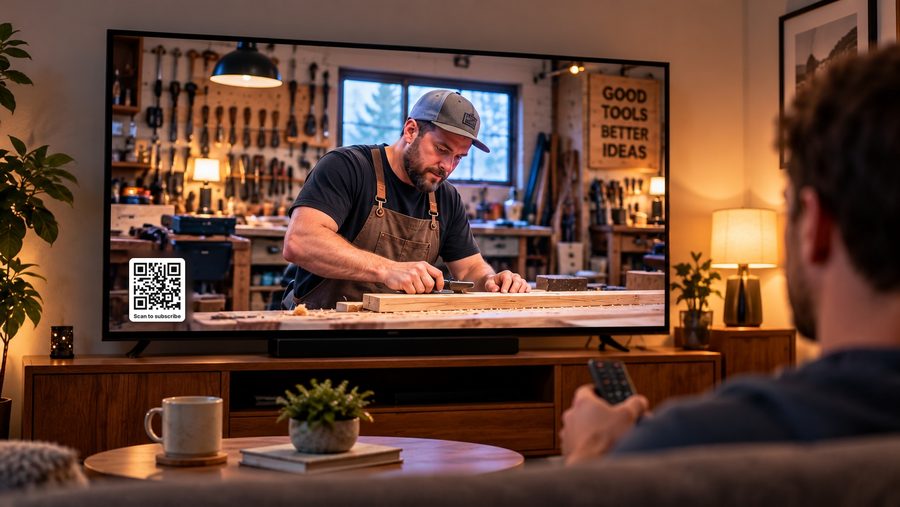
Then test it. Play the finished video on your own TV and scan the code from where your viewers would sit. If it's slow to scan, make it bigger or leave it up longer.
If you use SofaSub
- Free: the Quick QR Studio makes one reusable QR code for all your videos. It always shows your current saved links, and you can see how many times it's been scanned.
- Pro (£4.99 a month): a separate code for each video, with that video and its guests' links, plus your saved links. Each code has its own scan link and results, including which buttons viewers tap.
- Both plans have Normal, Larger and Largest code sizes, and Test my QR shows the page viewers will see on their phone.
SofaSub counts scans and taps, not subscribers. A scan means someone opened the page; whether they subscribe is up to them, on YouTube, and YouTube doesn't share who did.
Try it
You can try the demo to see what a viewer gets after scanning, or make your free QR code. For help with your editor, see adding a QR code to a YouTube video. And for why this matters, read 1 billion hours on the TV — and no easy way to subscribe.
SofaSub is independent and isn't affiliated with, endorsed or sponsored by YouTube or Google.