
Watching on TV.
Connecting on their phone.
Add a QR code to your videos so TV viewers can open your channel, guests, sponsors and other links on their own phone—without signing into the TV.
- Free plan
- No card required
- No YouTube password

Over 1 billion hours of YouTube watched on TVs. Every day.
Source: YouTube CEO Neal Mohan, 2024 letter (opens in a new tab) and Cannes Lions 2025 (opens in a new tab). A global daily average of hours of YouTube watched on TV screens. It measures viewing time, not the number of viewers or how many of them are subscribed.
SofaSub in under 3 minutes.
Marc Hamill sets it up for his own YouTube channel, Applorable, then scans the code from the sofa.
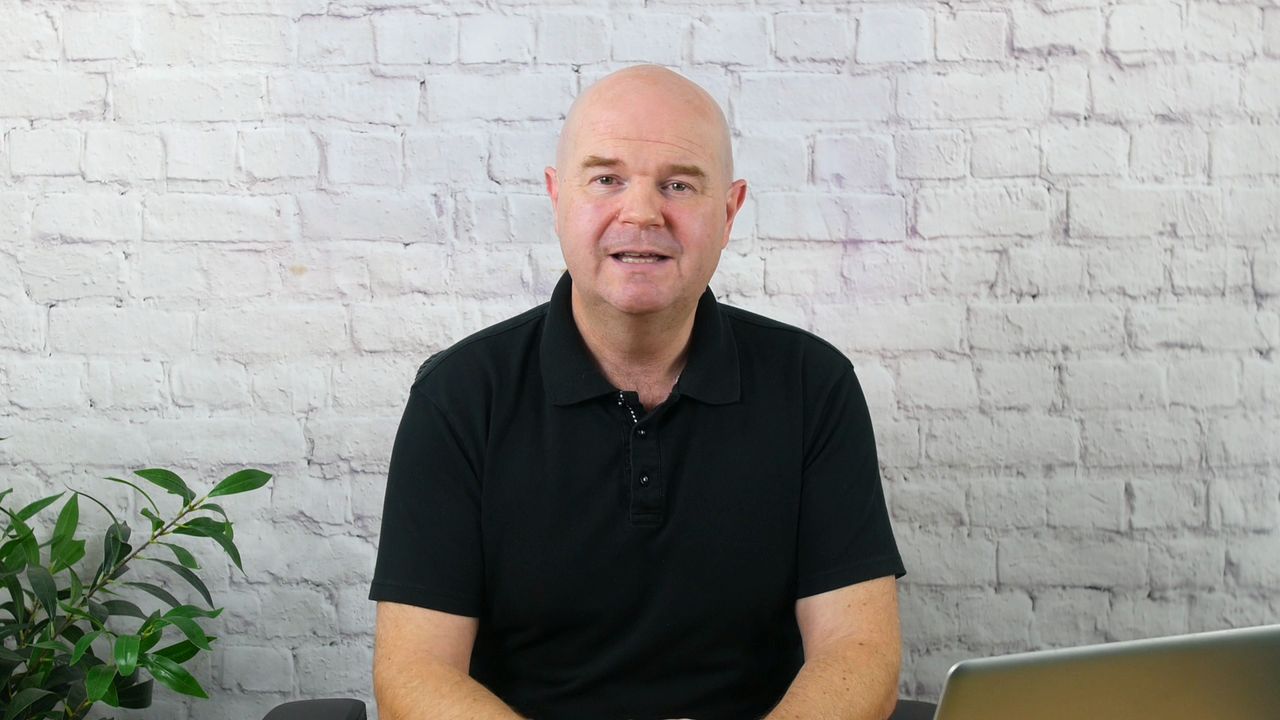
Sound on. English captions are available in the player. Prefer to read? See how it works.
One QR code. Up to 20 destinations.
Put one code in your video and send viewers to a page with your channels and profiles: your main channel, a second channel, your Shorts or gaming channel, and your pages on other platforms. Viewers pick the ones they want and open each one on their own phone.
Platforms you can add today:
- YouTube
- Twitch
- TikTok
- Kick
- Patreon
Only these platforms can be added. Pro creators can also add their website, shop or affiliate links in the Quick QR Studio.
- Rename, reorder or hide destinations whenever you like
- Your QR code and link never change, so older videos stay up to date
- Viewers can open several destinations one after another
The real hub page, for a made-up creator.
On the TV, it's often the wrong account.
- The TV is signed in to a family account, or someone else's, so subscribing there doesn't reach the viewer's own account
- People often keep their own account off a shared TV, so the kids' videos don't take over their feed and recommendations
- Signing in means typing an email and password with a remote
- It's easier to give up and keep watching
Viewers use the phone they're already signed in on.
 Illustration · real SofaSub page
- Viewers scan the code in your video with their phone camera
- Your SofaSub page opens, and one tap opens your channel in their own YouTube app
- They decide whether to subscribe. Nothing happens automatically
From your video to their phone in three steps.
Create your code
Paste your YouTube @handle or channel link. Add a video link too if you want a code for one video.
Add it to your video
Download the see-through graphic and put it on the track above your footage. The code sits in a corner. Step by step in CapCut, Premiere Pro and DaVinci Resolve.
See your results
Results shows how often each code is scanned, and with Pro, which buttons viewers tap.
Viewers can't scan a code on the screen they're holding, so SofaSub is for people watching on a TV or another screen. Just need a quick code for a poster or your channel? Try the free YouTube QR code generator, or make a YouTube subscribe link.
Everything around the code, done for you.
Any QR generator can make a code. SofaSub adds what goes around it for video: a graphic sized for your edit, a phone page that opens YouTube's own app, a link that keeps working in every published video, and scan and tap counts for each code.
Works wherever your video plays
The code is part of your video, so it shows on smart TVs, consoles, streaming sticks and Chromecast.
One code that keeps working
A channel code works in every video you make, and codes keep working whatever plan you're on.
A link for everywhere else
Every code also has a link for your description, bio and pinned comment. Visits from it are counted separately.
A QR code that fits your video. Not one that gets in the way.
SofaSub gives you a see-through graphic the size of your video, with a compact code in a corner and a white card behind it so phones can read it from the sofa. Your video editor decides when it appears.
- Put the graphic on the track above your footage in CapCut, Premiere Pro or DaVinci Resolve.
- Trim it to the moments you want, such as when you ask viewers to subscribe.
- Keep it still and on screen for at least 10 seconds, then export and test it on a TV.
- 1080p graphic on every plan; 4K, card-only and any corner with Pro
- Use the same channel code in every video
SofaSub can't edit videos you've already uploaded or control the YouTube player. You add the graphic in your editor before you publish.
 Illustration
Show it twice for about 15 seconds, while the video keeps playing.
Streaming? Put your code on screen while you're live.
Add your code to OBS or Streamlabs as a browser source. Viewers watching your stream on a TV scan it and subscribe or follow on their own phone.
- Works in OBS and Streamlabs as a browser source, with nothing extra to install
- Use a code you already have; scans from your streams are counted separately in Results
- With Pro, change the message under the code from your phone while you're live
Straightforward tools. No misleading promises.
No YouTube sign-in
You paste your public @handle or channel link. SofaSub can't post, like or change anything on your channel.
Viewers decide
Every subscribe, like or comment is done by the viewer on their own phone. Nothing happens automatically.
Only what you chose
Your code only ever sends viewers to the channels and videos you added, checked every time.
Honest numbers
Reports show scans and taps we can actually measure. A tap isn't a subscriber.
Independent
SofaSub is a small independent service, not part of YouTube or Google.
sofasub.com/go/…| Date | Scans | Subscribe | Like | Comment |
|---|---|---|---|---|
| Day 1 | 61 | 28 | 9 | 3 |
| Day 2 | 37 | 16 | 5 | 1 |
| Day 3 | 22 | 10 | 2 | 1 |
What SofaSub can and can't measure
| Measurement | Can we measure it? |
|---|---|
| Scans of your code | Yes, on every plan. Counts visits to your page, not unique people. |
| Taps on Subscribe, Like, Comment or Watch | Yes, with Pro. A tap means the viewer was sent to YouTube. |
| Whether someone actually subscribed | No. YouTube doesn't share this with outside tools. Check YouTube Studio. |
| Whether someone liked or commented | No, not from the tap alone. |
SofaSub makes the next step easier. It can't promise that anyone subscribes.
Privacy policyTermsPricing and billingContact help@sofasub.com
Turn every video into an opportunity to learn.
Create a different QR code for every video, guest or campaign. Discover which content encourages viewers to take the next step.
Unlimited QR codes
Make a separate code for each video, podcast appearance, live stream or promotion, and give each one a label only you can see.
See which codes work
Results puts your codes side by side for the last 7, 30 or 90 days, with scans, link visits, taps and Subscribe taps for each one. The spreadsheet download breaks taps down by button. A tap means a viewer opened a supported destination. It doesn't confirm a subscription, follow or other completed action.
A more professional look
4K and card-only graphics in any corner, no SofaSub credit on your scan page, and a live-stream message you can change from your phone.
Simple pricing for creators.
Start free. Upgrade when you want a code for every video.
More than a free QR code. Built for YouTube creators.
Many QR generators turn a link into a code. SofaSub Free gives you more:
- A ready-made 1080p QR graphic for your videos, in the bottom-left corner
- A viewer-friendly page with a clear Subscribe button for YouTube channel codes
- Or make it a Multi-Channel Hub with up to five supported destinations
- Scan reporting, by day, to see how often viewers open your code
Your viewers scan from the TV, open SofaSub on their own phones and choose where to go. Whether they subscribe is up to them.
One free code. Up to five hub destinations. No card required.
Free
No card required.
- 1 QR code, for your channel, a video or a hub
- Up to 5 channels in a hub
- 1080p graphic, bottom-left corner
- Scan count, by day
- Go Pro later and your permanent QR or hub shows your new links in videos you've already posted
- Small SofaSub credit on your scan page
Pro
or £49 a year, saving £10.88
- Unlimited codes, one for every video, guest spot or live stream
- Results for each code: scans and taps on Subscribe, Like, Comment and Watch, by day, with a spreadsheet download
- Up to 20 channels in each hub
- 1080p, 4K and card-only graphics, any corner
- Change your live-stream message from your phone
- No SofaSub credit
Cancel anytime. No cancellation fees. Manage or cancel your subscription from your account. How to cancel
Prices in pounds sterling. Pro renews automatically until you cancel, which you can do any time in Plan & billing; it then runs to the end of the period you've paid for. Codes you've made keep working if you cancel. Full details in the Terms.
Questions creators ask.
Do I need to connect my YouTube account?
No. You paste your public @handle or channel link. SofaSub never asks for your YouTube password or permission to manage your channel.
Can't people already subscribe on the TV?
Sometimes, if the TV is signed in to their own account. But TVs are often signed in to someone else's account, or not signed in at all, and typing with a remote is slow. A scan lets them subscribe on the phone they're already signed in on.
Does it subscribe people automatically?
No, and nothing should. The scan opens your channel in YouTube on the viewer's phone. They choose whether to tap Subscribe, so every subscriber is genuine and within YouTube's rules.
Does one free code work on all my videos?
Yes. A channel code sends viewers to your channel, so you can put the same graphic in every video. Pro lets you make a separate code per video, so you can compare them.
Can I change my links after my video is live?
Yes. The QR code in your video never changes, but what it opens does. Your permanent QR always shows your current permanent links, so edit them and every video carrying that code is updated straight away. A Multi-Channel Hub works the same way: rename, reorder or hide its channels whenever you like. With Pro, each video's own code can be edited too, and when you change a permanent link you choose whether it applies to this video only, future videos, or all your videos. There's an Undo if you change your mind.
If I go Pro later, will my older codes get my new links?
Yes, if your code is a permanent QR or a Multi-Channel Hub. They always show your current links, so anything you add after upgrading, up to 20 links instead of 5, appears on the code already in your videos. You don't need to re-upload anything. Extras for one video, such as a guest's links or a sponsor, go on the new per-video codes Pro makes. A plain channel code always opens your channel.
Will it scan from the sofa?
The graphic is sized for a TV, with a white border so phones pick it up from a few metres away. Keep it on screen for 10–15 seconds and test it on your own TV before publishing.
Where should I put the code?
Bottom left works best. It stays clear of YouTube's progress bar, end screens and the info cards that appear top right. Mention it once out loud: "Watching on the TV? Scan the code to subscribe."
Can I link several YouTube channels?
Yes. A Multi-Channel Hub lists several YouTube and Twitch channels behind one code: up to 5 on Free and 20 with Pro. Change them any time; the code in your videos stays the same.
Can I link to Patreon, a shop or my other channels?
Your other channels and your TikTok, Instagram, Kick and Patreon pages, yes, with a hub. With Pro, your links in the Quick QR Studio can also include your own website or shop, and affiliate links, which viewers see labelled as ads. Viewers are always shown which website a link opens before they go there.
Is SofaSub affiliated with YouTube?
No. SofaSub is an independent service and isn't affiliated with, endorsed by or sponsored by YouTube or Google.
What happens to my codes if I cancel Pro?
Every code you've made keeps working, because it's already in your videos. You just can't make new ones beyond the Free limit, and Pro extras such as per-button stats stop.
Give TV viewers an easier way to subscribe.
Make your free QR code in a few minutes, and see what your viewers will see before you publish.
Start free